bluespace88 Posted April 10, 2010 Posted April 10, 2010 course it does, but too little and the delorean floats up uncontrollably. Quote
RG Posted April 10, 2010 Posted April 10, 2010 (edited) Not so much as floating up by itself, but yes, it goes up more easily than goes down, not to mention how "controllable" it is while driving Edited April 10, 2010 by RG Quote
RG Posted April 10, 2010 Posted April 10, 2010 Oh wow. OK, I got your point, gravity changing doesn't help XD Quote
bluespace88 Posted April 10, 2010 Posted April 10, 2010 Unless you want to find something slightly higher that still allows it to time travel. Quote
CJ O'Hummer Posted April 10, 2010 Author Posted April 10, 2010 alright, I think we need a different idea for the whole situation. Blue, which helicopter does the flying BTTF2 replace? And what would I have to change in the handling.cfg if I want to change the speed limits? Quote
Mike Posted April 10, 2010 Posted April 10, 2010 The speed of the flying delorean isn't controlled by the handling... and it's the Sparrow. Quote
CJ O'Hummer Posted April 11, 2010 Author Posted April 11, 2010 OK, thanks Mike. I just want to do some tests. Maybe I can get the idea what has to be changed and where it has to be changed. Quote
Mini-Me Posted April 11, 2010 Posted April 11, 2010 The only thing you can change for it in the handling.cfg is how it acts as chopper, but the vent boosts are coded in the main.scm. Quote
CJ O'Hummer Posted July 6, 2010 Author Posted July 6, 2010 alright then, I think we need a whole new idea for the situation. and I guess I have one: is it possible to flatten the angle of inclination? EDIT: I'll just do some more tests with that and maybe I'll find out which of the numbers is the one for the "lean upwards/downwards" angle. Quote
Evilraptor Posted July 7, 2010 Posted July 7, 2010 Is there any way to check the angle that a vehicle is at (other than "flipped")? Because that way there might be a possibility of increasing the acceleration only when the angle is at X. I highly doubt it though... at least in VC, possibly due to cleo4 it's in SA... there's loads of new junk in that. But hmm, it's a long shot :/ Quote
Mini-Me Posted July 8, 2010 Posted July 8, 2010 In SA we already have that without CLEO, just check 07C5. For VC however Blue had to implement a different method to get the angles. But why shouldn't the car accelerate slower if tilting upwards? It sounds only logical to me. Quote
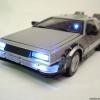
CJ O'Hummer Posted July 8, 2010 Author Posted July 8, 2010 He didn't, because all he DID was that he left the Sparrow handling as it was and replaced the Maverick's with it, to have the same handling with the TimeTrain too. If you use the Sparrow in a stock VC game, it has the same handling as it has in the mod (except for the vent boost). Oh, and remember the pic. This was the reason why I asked for an handling improvement. While I was looking at it again I noticed that the angle was much flatter (~ 20°) than it is currently (38°). So with a flatter angle it'd really be easier to reach 88 when you lean upwards. EDIT: I'm currently doing some tests with that in the Handling.cfg. I've already found the variable for the angle, but even when it's just half as steep as before, it still needs a little bit more boost (at the moment I only reach ~ 80 but it's already more than it was in the beginning). Quote
♠Grim♂ Reaper 1666◙ Posted July 8, 2010 Posted July 8, 2010 you are working against gravity don't forget. Quote
CJ O'Hummer Posted July 9, 2010 Author Posted July 9, 2010 AT LAST! IT WORKS! Alright, ladies and gentlemen, since nobody has yet found a way to work out my Idea, I did my own tests and found out how it can be done: 1 open Handling.cfg with the Text Editor 2 search for $ SPARROW 0.3000 0.72 -0.00100 0.025 0.10 0.0065 8.000 0.0065 8.0000 0.700 0.014 0.9970 0.820 0.850 0.990 0.0 0.0 10.0 and $ MAVERICK 0.3000 0.72 -0.00100 0.025 0.10 0.0065 8.000 0.0065 8.0000 0.700 0.014 0.9970 0.820 0.850 0.990 0.0 0.0 10.0 and replace them with $ SPARROW 0.3000 0.72 -0.00100 0.025 0.10 0.0065 8.000 0.0032 8.0000 0.700 0.014 0.9970 0.820 0.850 0.990 0.0 0.0 10.0 and $ MAVERICK 0.3000 0.72 -0.00100 0.025 0.10 0.0065 8.000 0.0032 8.0000 0.700 0.014 0.9970 0.820 0.850 0.990 0.0 0.0 10.0 3 Start the mod and have fun. I still need to find a way to create a 90 MPH limit, since the flying TMs can now reach speeds of 100+ MPH when you don't fly upwards. Quote
Mini-Me Posted July 9, 2010 Posted July 9, 2010 He didn't, because all he DID was that he left the Sparrow handling as it was and replaced the Maverick's with it, to have the same handling with the TimeTrain too. I didn't say he used the "different method to get the angles" in this case . Quote
CJ O'Hummer Posted July 9, 2010 Author Posted July 9, 2010 OK, sorry. By the way, does anyone know what needs to be changed in the main.scm to limit the speed to ~ 90 MPH?? Quote
archer9234 Posted July 10, 2010 Posted July 10, 2010 If you did that. You risk not reaching 88mph on certain movements. Quote
CJ O'Hummer Posted July 10, 2010 Author Posted July 10, 2010 Why? All I want to do is that the acceleration stops at ~ 90 MPH (in a way like in DK's TT edit, but only with the difference that the maximum speed is ALWAYS ~ 90). Quote

Recommended Posts
Join the conversation
You can post now and register later. If you have an account, sign in now to post with your account.